

In short
- Every Approved Trainer gets their own dashboard with a trainer number, approved subjects and a QR code anyone can scan to check the approval.
- A LinkedIn photo frame, social media images, captions, an email signature badge and website badge code are made for you, with your name and number already in them.
- Your public profile sits on the Register of Approved Trainers, where people search by name, subject and country, and optional upgrades add an enquiry button and a featured listing.
- Applying is free. Once you are approved it is €29 a year, you earn €14.50 for every trainer you refer who pays (or a free year when they join with a free code), and every training provider you refer who buys a plan takes 50% off your next year.
Good trainers are often the hardest people to find. Their best work happens in rooms and on calls nobody else sees, and when a client asks "how do I know you are qualified?", the answer is usually a CV and a promise.
Our Register of Approved Trainers changes that. We check each trainer's qualifications and training experience by hand, approve them for specific subjects, and give them a number anyone can look up. Once you are approved, everything you need to use that status lives in one place: your Approved Trainer dashboard. Come and take the tour.
Free for our first 100 trainers: ask for a free code and your first year costs nothing.
1. A trainer card anyone can check
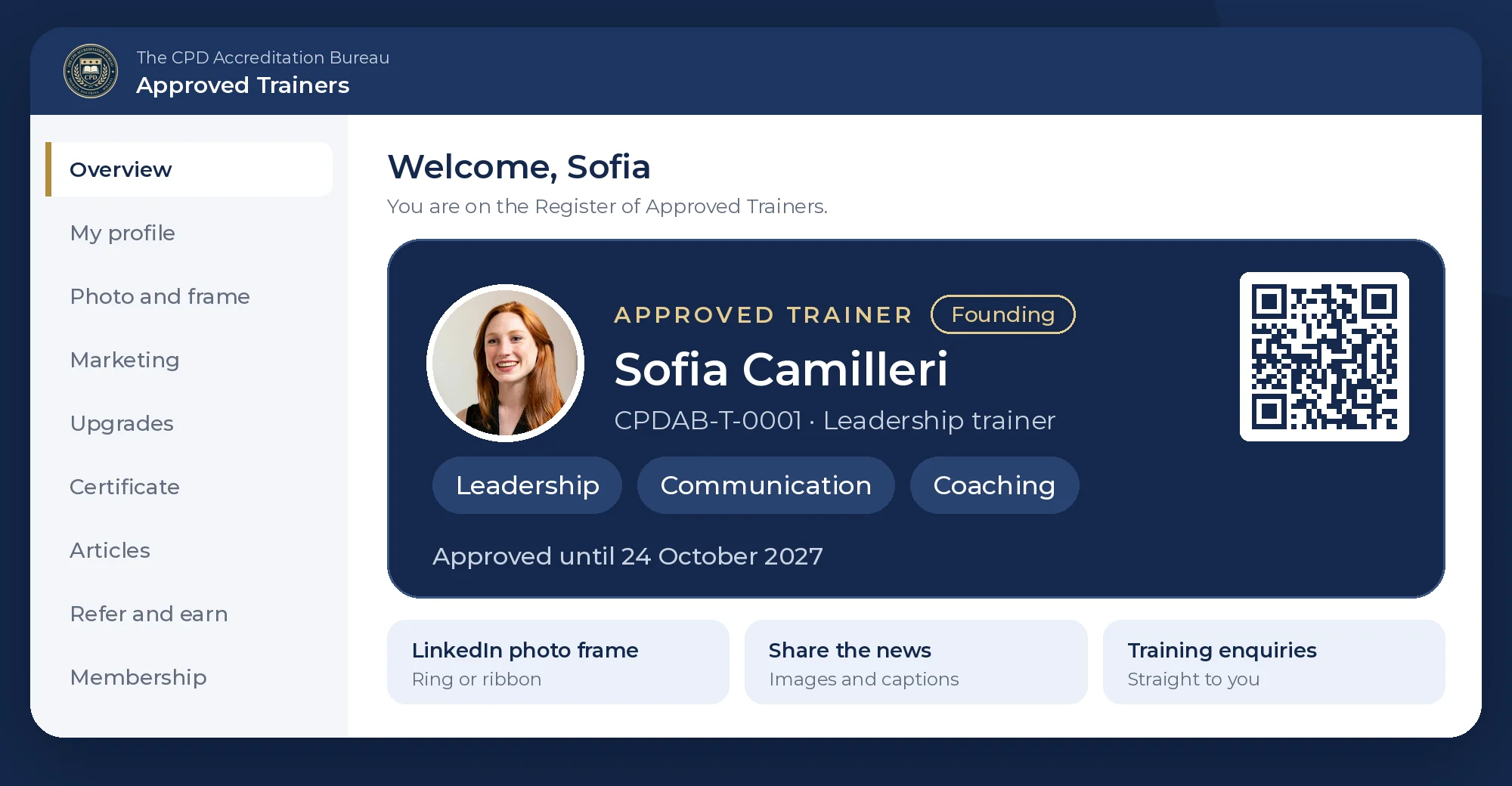
Your dashboard opens on your trainer card. It shows your photo, your name, your trainer number, the subjects you are approved for and the date your approval runs until. The QR code opens your approval on our Verify page, so a client can check you in seconds, from a slide, a business card or your email.
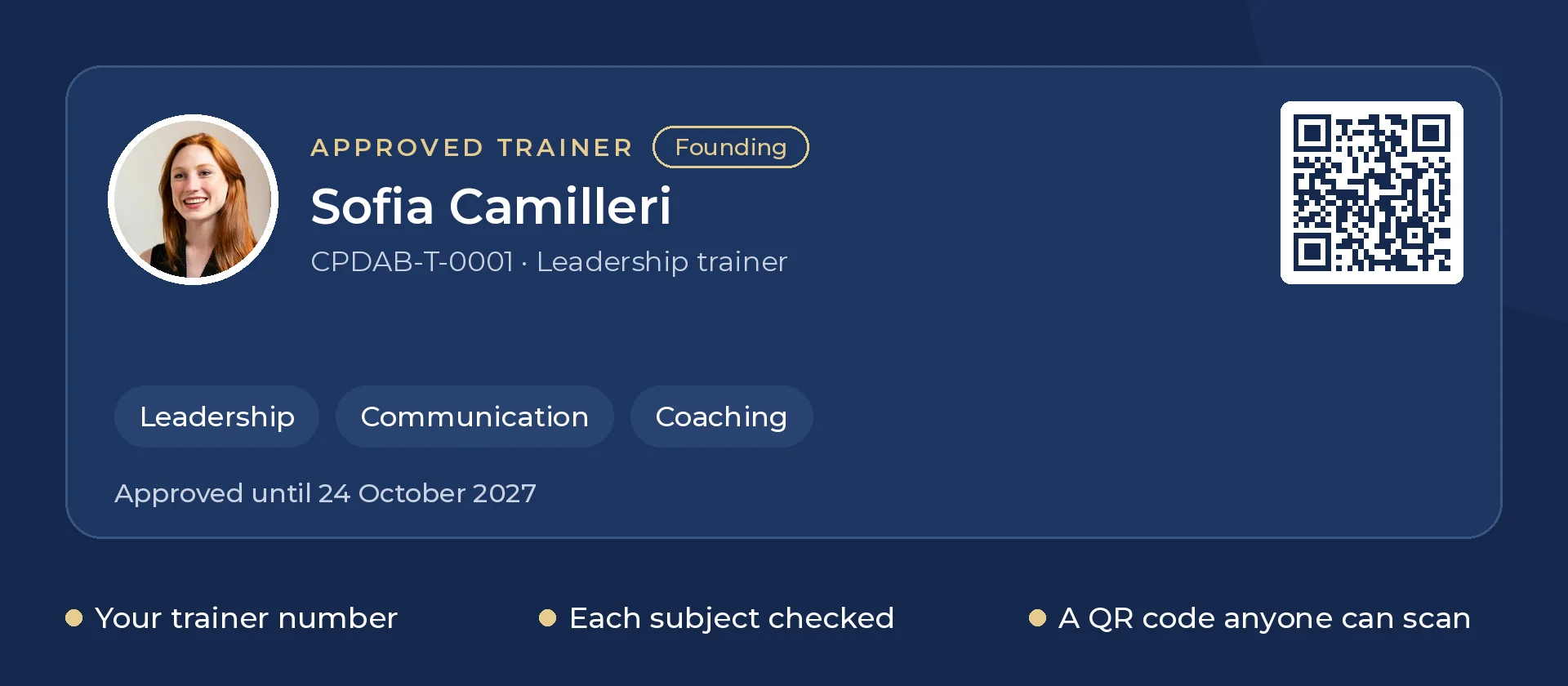
Your Certificate of Approval is ready as soon as you are live. Print it, save it as a PDF, or add it to the Licences and certifications section of LinkedIn with one click, with the link to check it already filled in.
2. A LinkedIn photo frame in two minutes
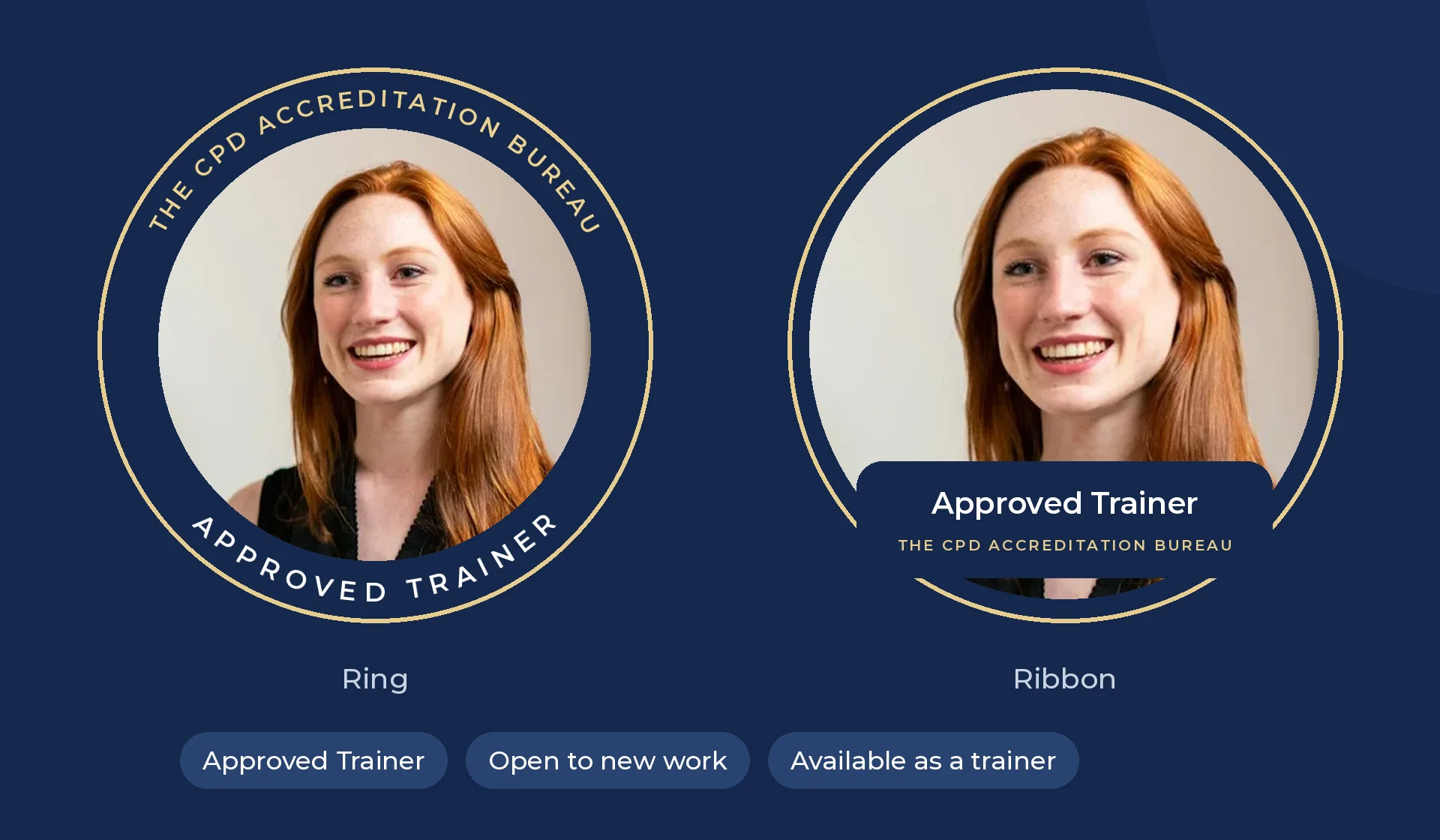
Your profile picture is the first thing people see on LinkedIn, so we made it easy to show your approval there. Upload a head-and-shoulders photo, drag it into place, pick a ring or a ribbon in navy or gold, and choose the wording. Then download it and upload it to LinkedIn.
3. Marketing that is ready before you are
Most trainers do not have time to design social media posts. The Marketing page does it for you, using your name, photo, subjects and trainer number. Choose a message such as "I am now an Approved Trainer" or "Book me for training", pick a size and a colour, and download.
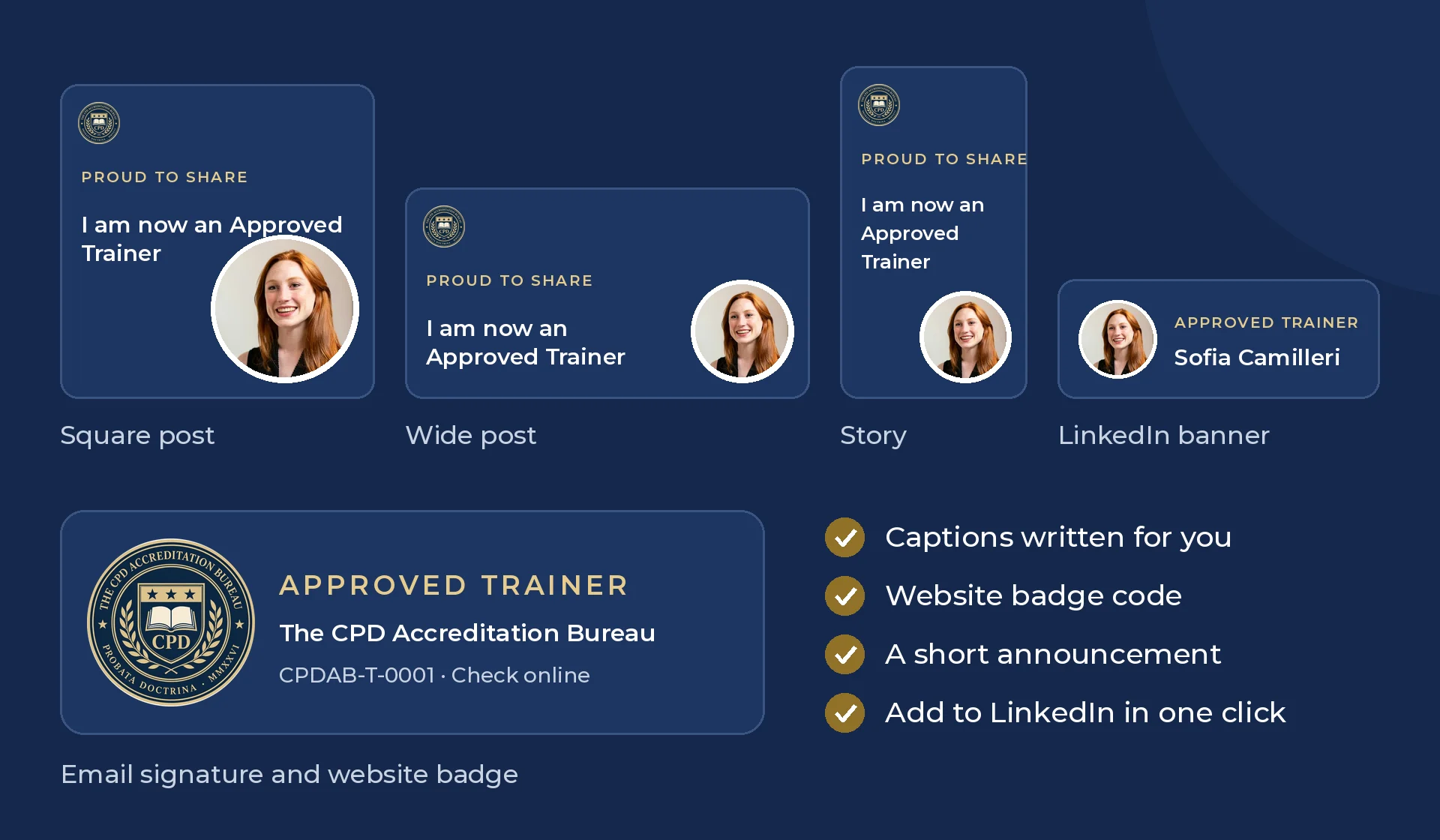
- A caption for every image, which you can edit before you post.
- An email signature line and badge, so every email you send shows your approval.
- A website badge with the code to add it, linked to your public profile so visitors can check it.
- A short announcement for your newsletter, website or clients.
4. A public profile, and enquiries that come to you
Your profile sits on the Register of Approved Trainers, where clients and training providers search by name, subject and country. It shows your title, a short bio, how you deliver training, your languages and your approved subjects. Your CV, documents and email address are never shown.
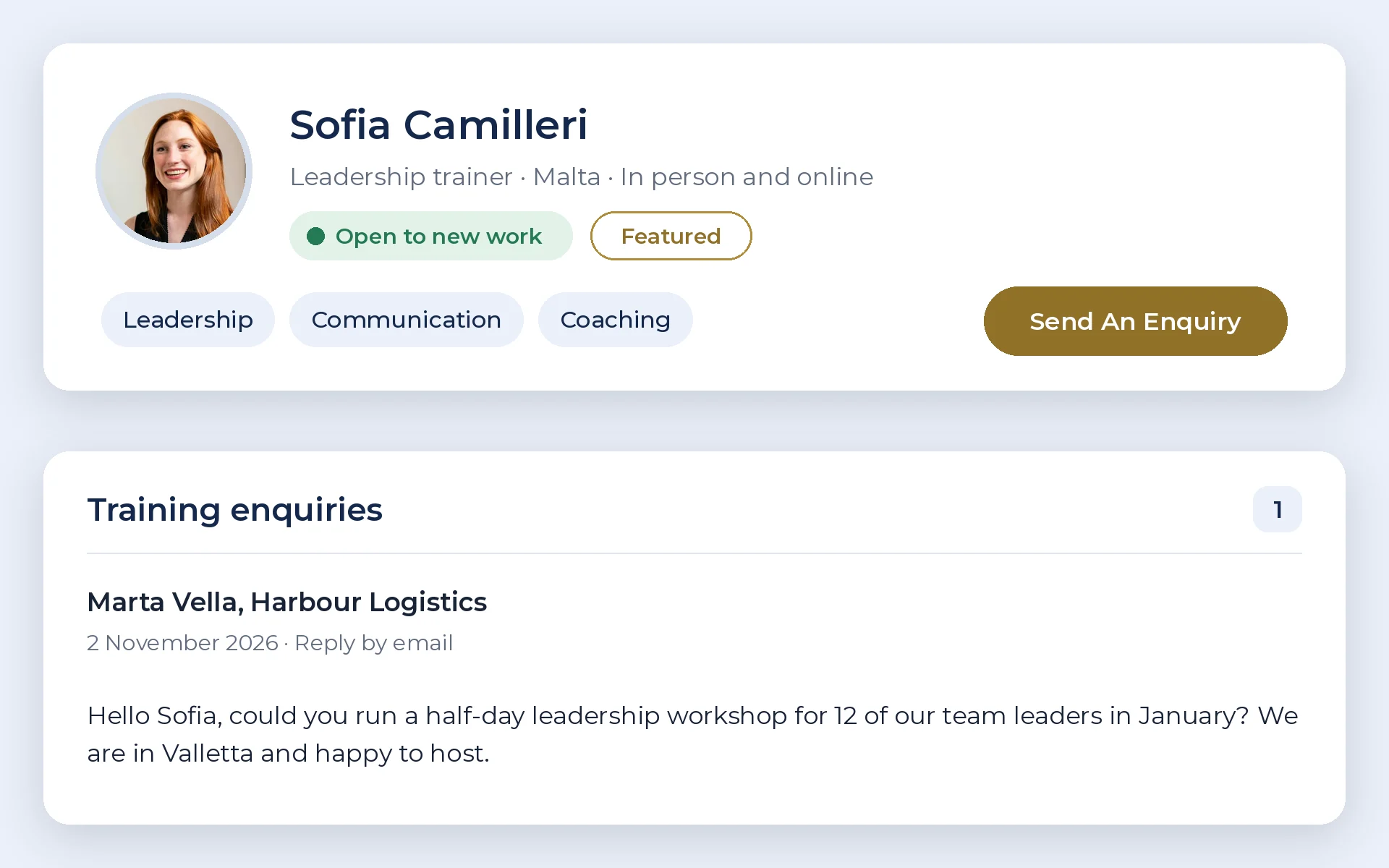
Two optional upgrades help you get more work from it. Each can be added for one year, or for two years at 25% less, and neither renews automatically.
- Open to New Work (€15 a year): a badge on your profile and register card, a Send An Enquiry button, and a matching photo frame and image.
- Featured listing (€25 a year): your card near the top of the register and of every subject search. Featured trainers take turns at the very top, so everyone gets a fair share.
5. Your name on our blog
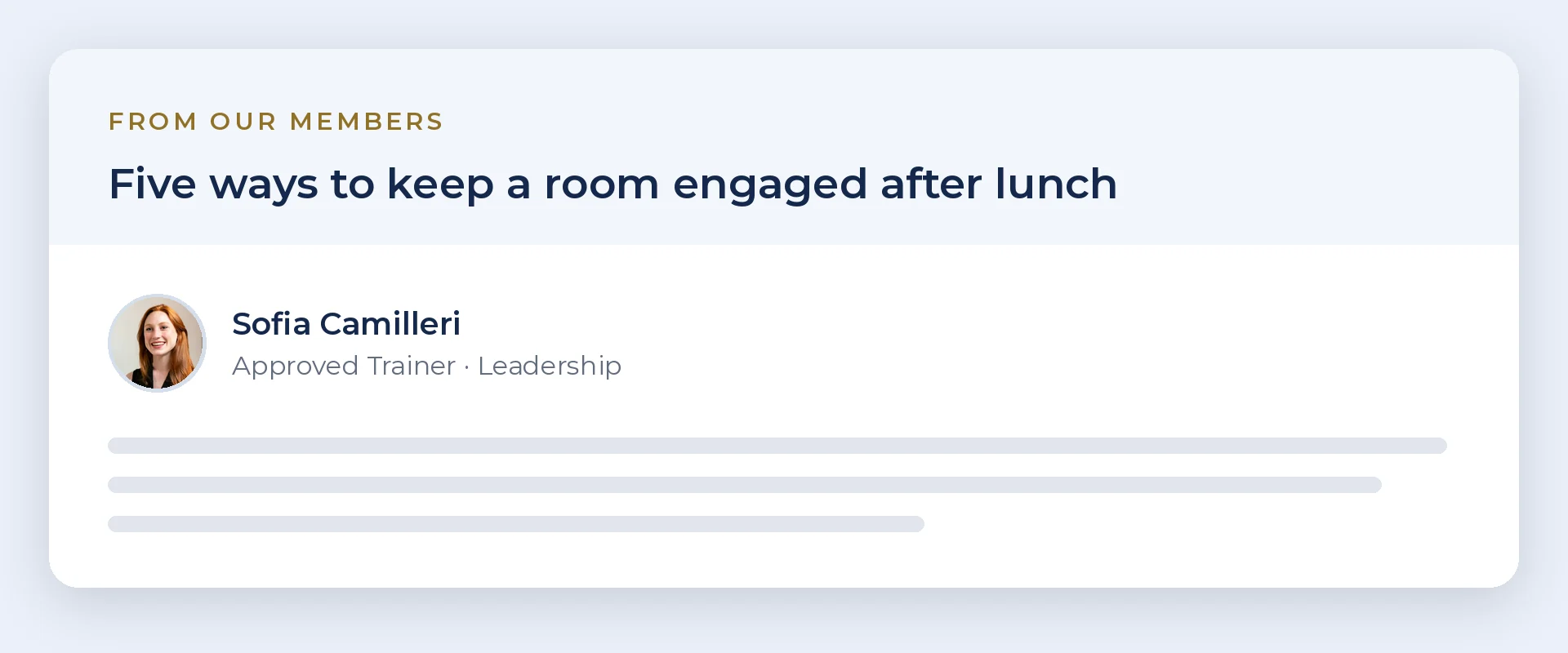
Approved Trainers can send us one article a month. We look for mostly educational pieces of 300 to 2,000 words. Once we approve an article, it goes on our blog under From our members, with your name, photo and one link to your website or courses.
6. Refer other trainers and earn
Your dashboard has your own referral link and QR code for other trainers. For every trainer who joins through it and pays for their first year, you earn €14.50, which you can claim by bank transfer or put towards your own renewal. If they join with a free code, we add a free year to your approval instead, with no limit.
Know a training provider whose courses should be accredited? There is a second link for providers. Every provider who joins through it and buys a plan takes 50% off your next renewal, and two make your next year free.
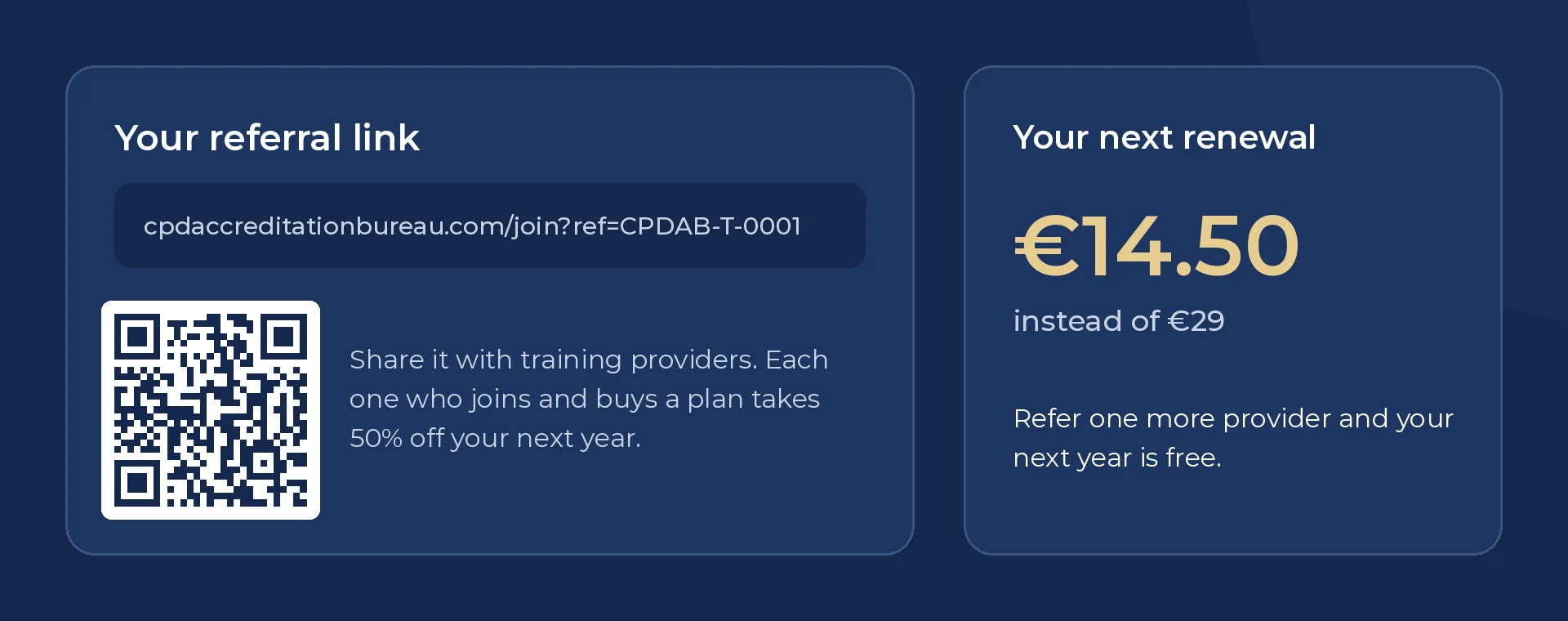
When your approval is due, the Membership page shows the date and the price after any referral discount. You renew yourself, with one payment, only if you want to. We never keep your card details, so nothing is ever charged automatically.
How to become an Approved Trainer
Tell us what you train, upload your CV, a qualification certificate and either a teaching qualification or proof of your training experience, and send it to us. You need a teaching qualification or at least 2 years of training experience. We check every application by hand and usually reply within a few working days.
No teaching qualification yet? Our Train the Trainer course counts as one.
Free for our first 100 trainers. Ask for a free code and your first year costs nothing. We email your code straight away, and you will not be asked for a payment card.
Frequently asked questions
How much does it cost to become an Approved Trainer?
Applying costs nothing. Our first 100 trainers get their first year free: ask for a free code on the Approved Trainers page and you will not be asked for a payment card. After that, membership is €29 a year, plus VAT where it applies. We never keep your card details, so nothing renews automatically: renewing is your choice.
Who can apply?
Anyone who trains or teaches adults, such as freelance trainers, coaches, in-house trainers, lecturers and course authors. You need a teaching qualification or at least 2 years of training experience. Our Train the Trainer course counts as a teaching qualification.
How can a client check that I am approved?
Every Approved Trainer has a trainer number and a QR code on their card and certificate. Anyone can scan it, or enter the number on our Verify page, to see your approval and the subjects it covers.
What are the upgrades?
Open to New Work (€15 a year) adds a badge and a Send an enquiry button to your profile, with enquiries sent to your inbox. A Featured listing (€25 a year) places your card near the top of the register and of every subject search. Both are optional and never renew automatically.
Can I publish articles?
Yes. Approved Trainers can send one article a month. We review each one, and approved articles go on our blog under From our members, with your name, photo and a link to your website or courses.